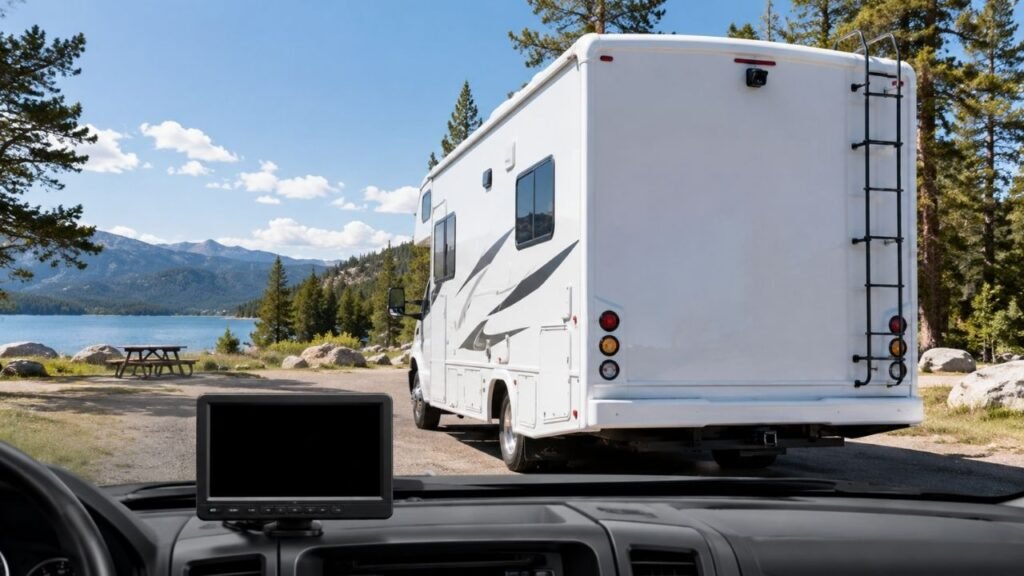
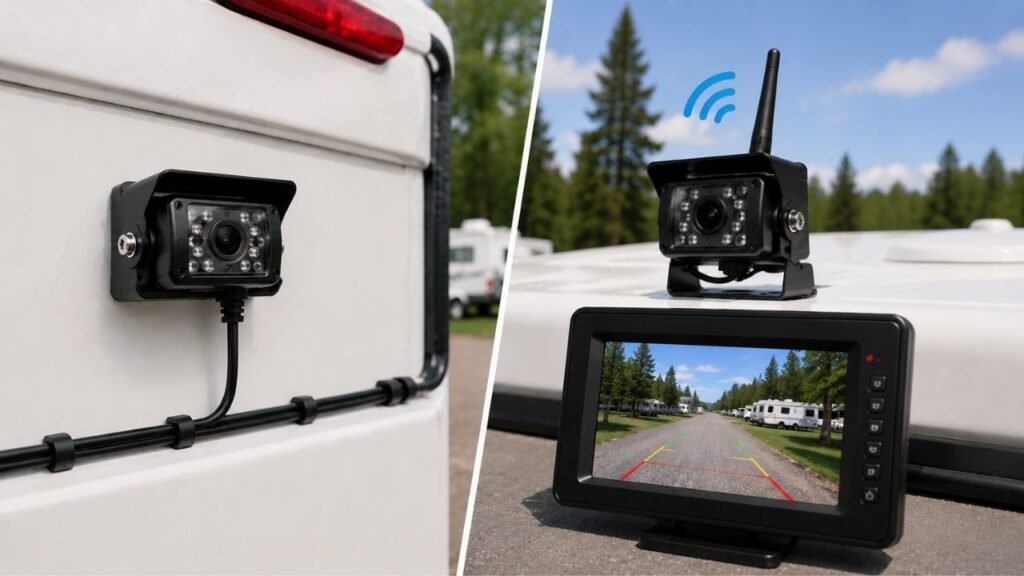
A wired RV backup camera usually provides the most stable video signal, while a wireless RV backup camera is easier to install. Wired systems avoid wireless interference and signal dropouts. Wireless systems eliminate the long video cable, making them especially convenient for travel trailers and factory-prepped RVs.
But the better choice depends on more than installation difficulty. Your RV length, construction, camera power source, driving habits, and desired reliability all matter. Below, I’ll walk you through each difference so you can choose confidently.
Key Takeaways
- Wired RV cameras provide very consistent video with minimal signal interruption.
- Wireless cameras are easier to install because no long video cable is required.
- Most wireless RV cameras still need a wired 12-volt power connection.
- Modern digital wireless cameras can work well on surprisingly long RVs.
- Wired cameras generally have less risk of video lag or freezing.
- Camera resolution depends more on hardware than transmission type.
- Factory camera prep often makes wireless installation especially convenient.
- Your RV type and intended camera use should guide your decision.
Wired vs Wireless RV Backup Camera: Quick Comparison
Both systems can provide excellent rear visibility when properly installed. The biggest difference is how video travels between the camera and monitor.
| Feature | Wired RV Backup Camera | Wireless RV Backup Camera |
| Video Transmission | Physical cable | Wireless digital signal |
| Camera Power | Depends on system | Usually wired locally |
| Signal Reliability | Excellent | Good to excellent |
| Video Lag | Usually minimal | Can vary |
| Interference Risk | Very low | Possible |
| Installation Difficulty | Higher | Lower |
| Long RV Performance | Very dependable | Depends on range |
| Factory-Prepped RV | Sometimes useful | Often very convenient |
| Easy to Relocate | No | Usually easier |
| Troubleshooting | Cables and connections | Power, pairing, signal |
| Professional Installation | More likely | Often unnecessary |
| Best For | Permanent reliability | Easy RV retrofits |
The important thing is not treating either system as automatically superior. A well-designed wireless camera can outperform a cheap wired system.
What Is a Wired RV Backup Camera?
A wired RV backup camera sends video through a physical cable. That cable runs between the rear camera and your front monitor.
Depending on the system, power may use separate wiring. Some camera systems combine several connections through one wiring harness.
The main advantage is straightforward signal delivery. Video does not depend on antennas, wireless pairing, or radio transmission.
Once installed properly, there usually isn’t much to think about. Turn the system on, and the rear image appears.
The downside is getting that cable across your RV.
On a small camper, cable routing may be manageable. On a large Class A motorhome, installation can become considerably more involved.
You may need to route wiring underneath the chassis. Other installations require removing panels or using existing wire channels.
That extra work is why wired cameras often suit permanent installations best.
What Is a Wireless RV Backup Camera?
A wireless RV backup camera sends video without a physical connection between the rear camera and front display.
Instead, the camera transmits video through a digital radio signal. The monitor receives that signal and displays the image.
This makes installation much easier because you avoid one long cable run.
However, there is an important detail many first-time buyers overlook.
Wireless does not normally mean completely wire-free.
The rear camera still usually needs electrical power. That power may come from your running lights, reverse lights, or another 12-volt circuit.
The monitor also needs power inside the tow vehicle or motorhome.
So, wireless systems mainly remove the video cable, not every wire.
That distinction matters when planning your installation.
How Do Wired and Wireless RV Backup Cameras Actually Differ?
The transmission method affects several parts of everyday performance. Understanding these differences makes choosing between them much easier.
Signal Reliability
This is where wired cameras have their clearest advantage.
A wired camera sends video directly through its cable. There is no wireless distance to overcome and no pairing connection to maintain.
That makes the signal extremely predictable.
Wireless cameras depend on radio communication between both ends. Modern digital systems are much better than older wireless cameras, but interruptions can still happen.
Your RV itself can sometimes affect the signal.
Metal framing, appliances, storage compartments, and other structures may sit between the camera and monitor.
Distance also becomes more important on longer RVs.
For occasional backing, a brief signal hiccup may only be annoying. For continuous highway observation, reliable video becomes much more important.
Video Lag and Response Time
Video delay is another difference worth considering.
A wired connection normally delivers video with very little transmission delay. What the camera sees reaches the display almost immediately.
Wireless systems have additional processing.
The camera captures the picture, processes it, transmits it, and the monitor reconstructs it.
With a good digital system, the delay may be barely noticeable.
Lower-quality systems can behave differently.
You may occasionally see a picture freeze or become slightly delayed. That becomes frustrating when backing close to trees, posts, hookups, or another vehicle.
You don’t necessarily need zero measurable latency.
You do want video that feels responsive during slow maneuvers.
Image Quality
It is common to hear that wired cameras always have better pictures.
That isn’t entirely accurate.
A high-resolution wireless camera can easily look better than an old low-resolution wired camera.
Image quality depends heavily on:
- Camera sensor quality
- Camera resolution
- Monitor resolution
- Lens quality
- Video compression
- Lighting conditions
- Night-vision hardware
- Display brightness
The transmission method mainly affects how consistently that image reaches your monitor.
A wired camera usually delivers its available image consistently.
A wireless camera can also produce excellent video when the signal remains strong.
Wireless Interference
Wireless cameras have one issue wired systems mostly avoid: radio interference.
Your RV may already contain several electronic devices.
Wi-Fi equipment, Bluetooth devices, inverters, TPMS systems, electronics, and other equipment can create a busy environment.
That doesn’t mean these devices will automatically disrupt your camera.
Modern digital camera systems are designed to handle normal electronic environments.
Still, poor antenna placement or weak signal strength can make interference more noticeable.
You may see:
- Temporary picture freezing
- Pixelated video
- Delayed frames
- Intermittent disconnections
- A completely lost signal
Before blaming interference, always verify camera power first.
A weak or unstable electrical connection can look surprisingly similar to a wireless signal problem.
Performance on Long RVs
RV length matters more with wireless cameras.
Think about the actual distance between your camera and monitor.
On a motorhome, that distance roughly follows the vehicle’s length.
With a travel trailer, there is another complication. The monitor is inside the tow vehicle, creating additional distance.
A 35-foot trailer doesn’t necessarily mean a 35-foot wireless path.
The camera sits behind the trailer while the monitor sits forward inside your truck.
That total distance can become substantially longer.
However, don’t use one arbitrary RV length as your cutoff.
A quality wireless system can work well on a long rig. A cheap system may struggle on something much shorter.
Look at the manufacturer’s real operating range and installation guidance.
Which One Is Easier to Install?
Wireless systems clearly have the installation advantage for most RV owners. However, both systems still require careful mounting and dependable electrical connections.
Wired Camera Installation
Installing a wired camera generally starts at the rear wall.
You mount the camera first and determine how the cable will reach your monitor.
Possible cable routes include:
- Underneath the RV chassis
- Through existing wiring channels
- Behind interior panels
- Through cabinets or storage spaces
- Inside protective conduit
The cable should stay away from moving suspension components. It should also avoid exhaust heat, sharp metal edges, and exposed areas.
Any exterior hole needs proper sealing.
This protects the RV from moisture intrusion and helps prevent future water damage.
The installation may take patience, but the result is permanent.
Once everything is securely connected, very little signal-related adjustment is required.
Wireless Camera Installation
Wireless installation is generally much simpler.
You mount the camera, connect its power, power the monitor, and pair both components.
Then you test the system before finishing the installation.
That sounds easy, and often it is.
The most common complication is identifying a suitable camera power source.
Depending on your intended use, you may connect the camera to:
- Reverse lights
- Running lights
- Marker lights
- Existing camera-prep wiring
- Another suitable 12-volt circuit
Once powered, check the signal from the driver’s seat.
Test it with the RV fully assembled and ready for travel.
A signal that works beside the camera may behave differently inside the cab.
What If Your RV Is Already Pre-Wired for a Camera?
Factory camera prep can make this decision much easier.
Many modern travel trailers include a rear camera mounting location. You may find a plate, connector, or prepared wiring near the roofline.
But the word pre-wired can be confusing.
It doesn’t always mean a video cable already runs from the trailer’s rear wall into your truck.
Quite often, the preparation provides power for a compatible wireless camera.
You install the camera into the prepared mounting position. The video then travels wirelessly to your monitor.
Before buying anything, inspect the preparation plate.
Check the connector and determine which camera systems fit it.
Also determine when the camera receives power.
Some preparations are powered through the trailer’s running lights. That may require turning your headlights or parking lights on.
Knowing that beforehand prevents unnecessary troubleshooting.
Do Wireless RV Backup Cameras Still Need Wiring?
Yes, most wireless RV backup cameras still require some wiring.
The word wireless normally refers to how the video signal travels.
The rear camera needs electricity to operate.
Most RV installations supply that power through nearby 12-volt wiring.
Your monitor also needs electricity. Many displays plug into a 12-volt accessory outlet or use dedicated wiring.
Some portable cameras use batteries or solar charging.
Those systems exist, but they are different from common permanently mounted RV cameras.
So when comparing installation difficulty, think of wireless this way:
You eliminate the long video cable, not necessarily the power wiring.
Reverse-Only Camera vs Continuous Rear-View Camera
How you power the camera can change what the system actually does. In many installations, this decision matters almost as much as wired versus wireless.
Powered From the Reverse-Light Circuit
Connecting the camera to your reverse-light circuit keeps operation simple.
The camera receives power when you shift into reverse.
This setup works well if you mainly want help with:
- Backing into campsites
- Parking
- Hitching
- Avoiding obstacles
- Maneuvering around storage areas
The camera doesn’t need to operate continuously during normal driving.
That keeps the system focused on its original backup function.
Powered From the Running-Light Circuit
Some RV owners want to watch traffic behind them while driving.
In that situation, the camera needs continuous power.
Running-light or marker-light wiring is commonly used where appropriate.
When those lights receive power, the camera remains powered.
This lets compatible systems function more like a digital rear-view mirror.
You can watch approaching traffic and better understand what’s behind your trailer.
That can be especially useful when changing lanes.
Why This Matters More Than Wired vs Wireless
Imagine buying an excellent wireless camera for highway observation.
If you connect it only to your reverse lights, it won’t provide continuous rear visibility.
Likewise, a wired camera won’t automatically become a continuous observation system.
The camera’s power source and system design determine when it operates.
That’s why I recommend deciding how you’ll use the camera before choosing installation wiring.
Which Is Better for Different Types of RVs?
RV design can make one transmission method more practical than another. Use the following recommendations as guidance rather than strict rules.
| RV Type | Usually Makes More Sense | Why |
| Class B Camper Van | Either | Short distance makes both practical |
| Class C Motorhome | Either | Permanent wiring is often manageable |
| Class A Motorhome | Wired often attractive | Reliability suits permanent installations |
| Small Travel Trailer | Wireless | Easy installation and short signal path |
| Large Travel Trailer | Depends | Signal range becomes more important |
| Fifth Wheel | Wireless often convenient | Avoids running video wiring into tow vehicle |
| Toy Hauler | Depends | Length and construction affect signal |
| Temporary Hitch Camera | Wireless | Portability becomes more valuable |
The table gives you a starting point.
Now consider how your own RV is built.
A compact Class C used for years may be perfect for a wired installation. A travel trailer changed every few seasons may benefit more from wireless flexibility.
Wired vs Wireless for a Long Travel Trailer or Fifth Wheel
This is where many RV owners become hesitant about wireless cameras.
Long travel trailers and fifth wheels create a bigger camera-to-monitor distance.
The signal must travel from the rear wall, through the trailer area, toward the tow vehicle, and into the cab.
Metal construction can make that journey harder.
Still, I wouldn’t automatically rule out wireless.
Instead, check:
- Manufacturer’s operating range
- Intended RV length
- Antenna design
- Camera placement
- Monitor placement
- Repeater availability
- Extension antenna compatibility
- Reviews from similarly sized RVs
A strong modern digital system can work very well.
If uninterrupted video matters more than installation convenience, wired remains the safer bet for predictable communication.
Which Has Better Night Vision?
Neither wired nor wireless automatically provides better night vision.
Night performance depends mainly on camera hardware.
Look at the image sensor, infrared lighting, lens quality, and low-light processing.
Camera placement also matters.
If infrared LEDs reflect against a nearby spare tire or ladder, the picture can become washed out.
Strong reverse lights can improve nighttime visibility too.
A high-quality wireless camera may easily outperform a cheaper wired model after dark.
Choose based on actual night-vision specifications rather than transmission type.
Which Is More Reliable in Rain, Snow, and Extreme Temperatures?
Weather durability depends more on construction than wired versus wireless transmission.
A camera exposed outside your RV faces water, dust, road spray, vibration, sunlight, and temperature swings.
Look for a camera designed for exterior automotive or RV use.
Pay particular attention to:
- Weather-resistance rating
- Camera housing
- Connector sealing
- Cable protection
- Operating temperature
- Mounting hardware
A wired system can still fail if moisture reaches its connectors.
A wireless camera can remain perfectly reliable when properly sealed and powered.
For either design, good installation matters enormously.
Which One Is Easier to Troubleshoot?
Both systems can develop problems, but the troubleshooting process differs. Knowing what usually fails can save plenty of frustration later.
Common Wired Camera Problems
- Loose camera connector
- Damaged video cable
- Pinched wiring
- Poor ground connection
- Blown fuse
- Corroded connector
- Damaged camera
- Faulty monitor
- Water inside an exterior connection
Wired problems are often straightforward electrically.
The annoying part comes when the damaged section hides behind walls or underneath the RV.
Common Wireless Camera Problems
- Camera has no power
- Monitor has no power
- Camera becomes unpaired
- Weak wireless signal
- Excessive transmission distance
- Poor antenna position
- Physical signal obstruction
- Intermittent running-light power
- Damaged transmitter or receiver
Wireless troubleshooting often begins with power.
Before adjusting antennas or replacing equipment, verify that the rear camera receives stable voltage.
This simple check solves more problems than many owners expect.
How Does RV Construction Affect a Wireless Camera?
Two RVs of identical length can produce completely different wireless performance.
That’s because length is only one variable.
Your RV’s walls, frame, storage areas, appliances, and electronics all sit between the camera and monitor.
Large metal structures can weaken radio transmission.
So can poor antenna positioning.
Sometimes moving the receiving antenna slightly improves performance dramatically.
Monitor location matters too.
Mounting the display somewhere surrounded by metal or electronics may reduce signal strength.
That’s why real installation quality matters just as much as the advertised transmission range.
Wired vs Wireless RV Backup Camera Cost
Purchase price doesn’t tell the whole story. Installation, repairs, and future upgrades can change which system delivers better overall value.
| Cost Factor | Wired Camera | Wireless Camera |
| Camera Kit | Budget to premium | Budget to premium |
| Installation Materials | Usually higher | Usually lower |
| DIY Difficulty | Higher | Lower |
| Professional Labor | More likely | Less likely |
| Moving to Another RV | Difficult | Easier |
| Cable Repairs | Potentially difficult | No long video cable |
| Signal Troubleshooting | Minimal | Sometimes required |
A basic wired kit may cost less than a premium wireless kit.
But professional cable installation can reverse that advantage quickly.
On the other hand, buying the cheapest wireless system may create frustration if signal performance is poor.
Compare the total installed cost, not simply the price printed on the box.
Pros and Cons of Wired RV Backup Cameras
Wired cameras make the most sense when consistent performance matters more than easy installation.
Advantages:
- Very stable video signal
- Minimal transmission-related lag
- No wireless pairing
- Low risk of radio interference
- Excellent permanent installation option
- Reliable for continuous observation
- Works well on long motorhomes
Disadvantages:
- More complicated installation
- Long cable must reach the monitor
- Drilling may be necessary
- Professional installation may cost more
- Harder to transfer between RVs
- Hidden cable damage can be difficult to repair
Pros and Cons of Wireless RV Backup Cameras
Wireless cameras prioritize convenience while still delivering strong performance when properly selected.
Advantages:
- Easier DIY installation
- No long video cable
- Excellent for factory-prepped RVs
- Convenient for travel trailers
- Easier to relocate
- Many systems support additional cameras
- Less invasive installation
Disadvantages:
- Signal strength can vary
- Possible video delay
- Occasional interference
- Camera still usually needs power wiring
- Pairing can sometimes require troubleshooting
- Long RVs require careful range selection
Wired or Wireless: Which Should You Choose?
Your answer becomes easier once you identify what matters most. Rather than looking for one universal winner, match the system to your RV.
Choose a Wired RV Backup Camera If…
- Maximum signal consistency matters most
- You’re keeping the RV long term
- Cable routing is practical
- You regularly use continuous rear observation
- You’ve experienced wireless signal problems before
- Your RV is especially long
- You don’t mind a more involved installation
A permanent motorhome is a particularly good candidate.
Once the cable is installed correctly, you gain a dependable system without worrying about radio range.
Choose a Wireless RV Backup Camera If…
- Easy installation is important
- Your RV already has camera prep
- Running a video cable would be difficult
- You’re comfortable connecting rear 12-volt power
- You tow a travel trailer or fifth wheel
- You may relocate the system later
- You want easy multi-camera expansion
Wireless is especially appealing for trailer owners.
Connecting a permanent video cable between a trailer and tow vehicle can become unnecessarily complicated.
When Either Type Can Work Well
Sometimes the choice really is close.
A shorter RV with good installation access can use either design successfully.
The same applies when comparing two high-quality systems.
At that point, look beyond transmission type.
Compare monitor quality, field of view, low-light performance, reliability, warranty, and camera features.
What Specifications Matter More Than Wired vs Wireless?
Transmission type gets most of the attention, but other specifications can affect everyday usefulness even more.
Look closely at:
- Camera resolution
- Monitor resolution
- Monitor size
- Viewing angle
- Night-vision quality
- Camera weather rating
- Operating temperatures
- Wireless operating range
- Camera power requirements
- Continuous-view capability
- Number of supported cameras
- Adjustable parking guidelines
- Camera mounting options
- Microphone or audio support
- Replacement part availability
- Warranty and customer support
I would rather use a well-built wireless camera than a poorly designed wired one.
Likewise, a dependable wired system can outperform a feature-heavy wireless camera with weak electronics.
Evaluate the complete system.
Safety Considerations Before Relying on Either Camera
An RV backup camera is an excellent visibility tool, but it shouldn’t replace your mirrors or normal awareness.
Use the camera to see areas your mirrors cannot cover well.
Before backing, check around your RV whenever practical.
Watch for children, pets, picnic tables, utility posts, low branches, campground hookups, and uneven ground.
When space becomes extremely tight, having someone guide you from outside is still valuable.
Your camera should make backing easier.
It shouldn’t convince you that everything outside the camera’s field of view is automatically clear.
Final Verdict
For most RV owners, the decision comes down to reliability versus installation convenience.
A wired RV backup camera provides the most predictable video connection. It is particularly appealing for permanent motorhome installations, very long rigs, or anyone who values continuous rear visibility.
A wireless RV backup camera makes installation much easier. Modern digital systems can perform extremely well, particularly on travel trailers, fifth wheels, and RVs already prepared for compatible cameras.
If your RV already has wireless camera prep, I would seriously consider using it. The installation advantage can be substantial.
If you’re building a permanent system and don’t mind running cable, wired gives you fewer signal variables.
Neither type is automatically better for everyone.
Choose the camera that fits your RV’s length, construction, wiring, and intended use. That’s far more useful than choosing based only on whether the box says wired or wireless.
Related FAQs
Do Wireless RV Backup Cameras Need Wi-Fi?
No. Most wireless RV backup cameras communicate directly between the rear camera and monitor. They generally don’t require campground Wi-Fi, mobile data, or an internet connection.
Do Wireless RV Backup Cameras Still Need Power?
Yes. Most wireless cameras still require a 12-volt electrical connection at the rear. Only the video signal travels wirelessly between the camera and monitor.
Do Wireless RV Backup Cameras Have a Delay?
Some wireless cameras can have slight video delay, especially when signal conditions are poor. High-quality digital systems usually keep latency low enough for normal RV backing.
Are Wired RV Backup Cameras Better for Long RVs?
Wired systems generally provide more predictable performance across long distances. However, properly selected digital wireless systems can also work very well on long RVs.
Can You Use a Wireless RV Camera While Driving?
Yes, if the camera receives continuous power and supports observation use. Cameras connected only to reverse-light power normally operate while the vehicle is reversing.
Why Does My Wireless RV Backup Camera Lose Signal While Driving?
Weak camera power, excessive distance, metal obstructions, antenna position, electrical interference, or poor connections can cause signal loss while your RV is moving.
Does a Pre-Wired RV Need a Wired Backup Camera?
Not necessarily. Many camera-prepped RVs provide power and mounting connections for compatible wireless cameras rather than running a video cable to the dashboard.
Can You Convert a Wired RV Backup Camera to Wireless?
Sometimes. Compatible wireless transmitters and receivers may convert certain systems. However, connector differences and camera compatibility can make replacing the complete system easier.
Which Is Better for a Fifth Wheel, Wired or Wireless?
Wireless cameras are often more convenient for fifth wheels because no permanent video cable must connect the trailer and truck. Choose a system rated for your actual camera-to-monitor distance.
Is a Wired RV Backup Camera Completely Interference-Free?
A wired camera avoids wireless radio interference, but electrical problems can still affect it. Poor grounds, damaged cables, corrosion, or loose connectors may cause picture problems.

Ethan Walker writes about travel routes, outdoor exploration, and road-based adventures. His guides focus on simple planning, dependable gear, and realistic travel advice. He values comfort, safety, and practical experience over hype.